Adobe Firefly Custom Models: Train AI on Your Brand Style
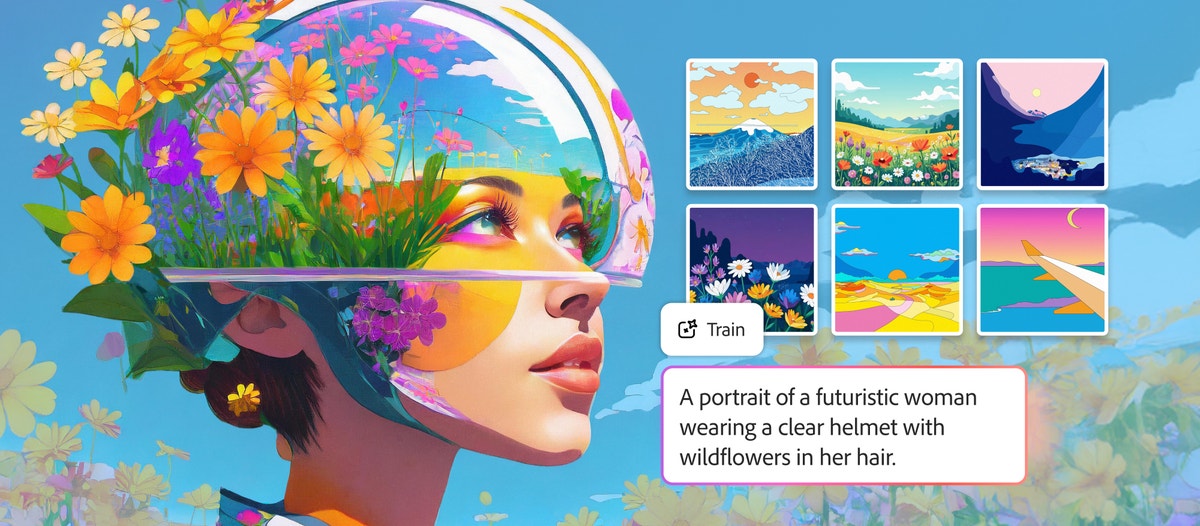
Adobe Firefly Custom Models — launched in public beta on March 19, 2026 — let you train a generative AI model on your own images so that every output matches your brand's visual identity. Upload 10–30 reference images, wait minutes to hours, and the resulting model captures your illustration style, character designs, or photographic aesthetic with consistency that generic prompting cannot achieve. For creative teams spending hours tweaking prompts to stay on-brand, this changes the workflow fundamentally.
This article breaks down what Firefly Custom Models are, how training works, where they fit in the broader AI image landscape (including 30+ third-party models now inside Firefly), and what creative teams should consider before going all-in on Adobe's ecosystem.
What Are Firefly Custom Models?
Firefly Custom Models are fine-tuned versions of Adobe's Firefly Image Model 5 that you train with your own assets. Instead of relying on prompt engineering to approximate your brand style, you feed the model reference images and it learns to reproduce specific visual patterns — color palettes, lighting, stroke weight, character features, and compositional tendencies.
The feature is optimized for three use cases:
| Use Case | What It Learns | Example |
|---|---|---|
| Illustration styles | Stroke weight, fills, color consistency | A brand's signature flat-illustration look |
| Characters | Specific subjects and their visual traits | A mascot or recurring character across campaigns |
| Photographic styles | Lighting, color grading, compositional patterns | A brand's distinctive warm-toned product photography |
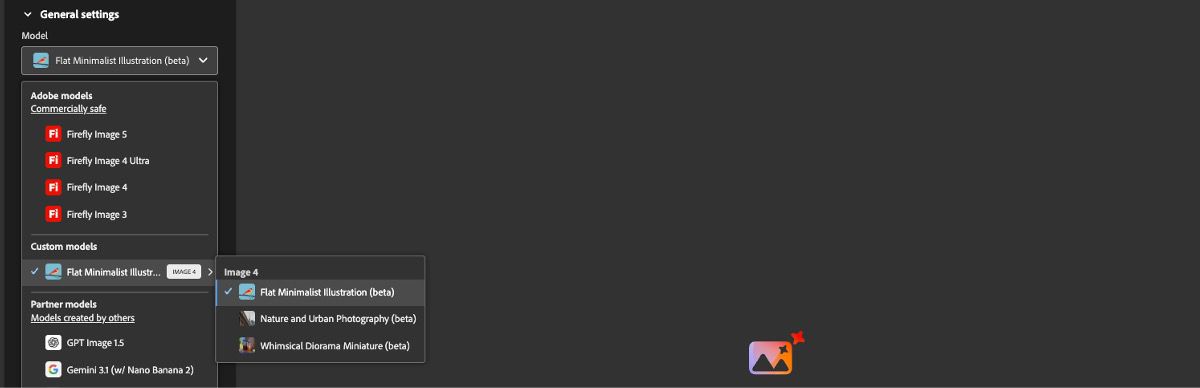
Once trained, your custom model appears as a selectable option in Firefly's Text to Image and Firefly Boards interfaces. Every generation from that model inherits your trained aesthetic automatically.
Custom models are private by default. Your training data and the resulting model remain exclusively yours — Adobe does not use them to train other models or share them with other users.
How Training Works: Step by Step
The training process is straightforward, but the quality of your inputs directly determines the quality of your outputs.
1. Prepare Your Training Images
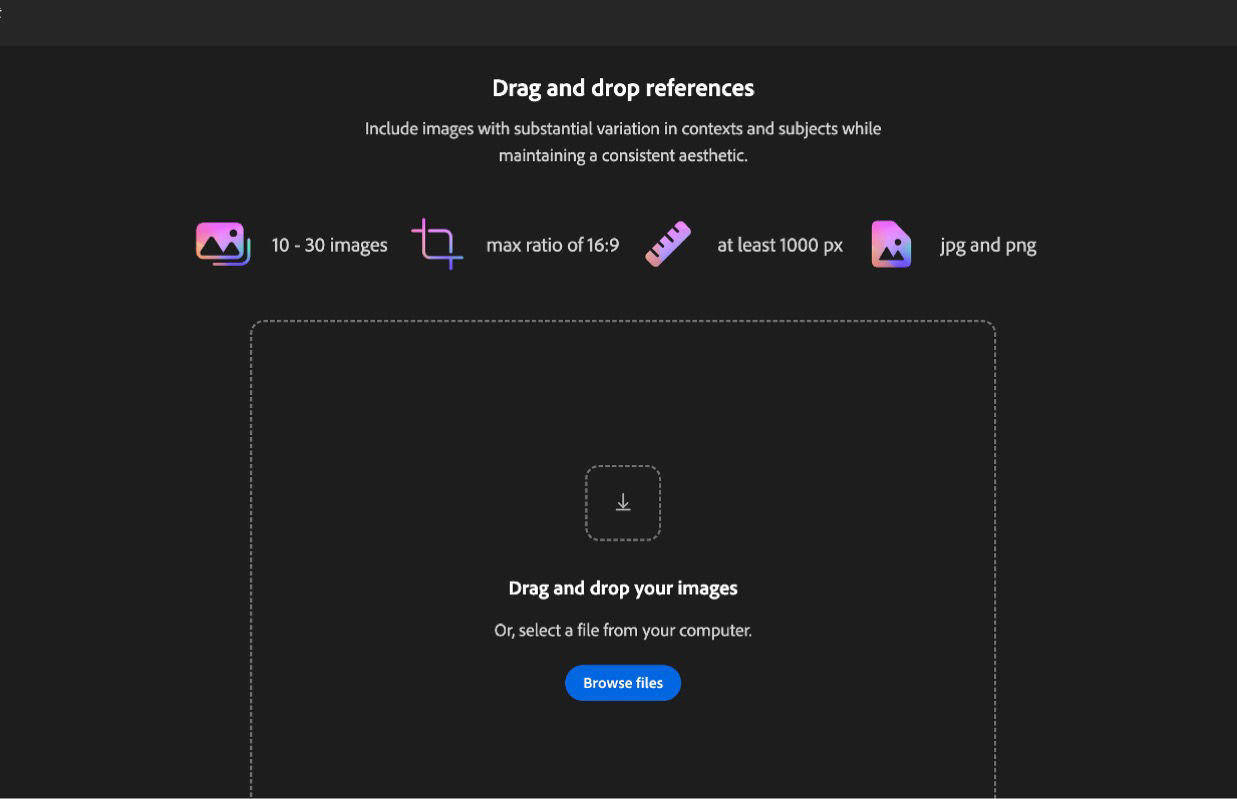
- Quantity: 10–30 high-quality images that represent the style or subject you want to capture
- Format: JPG or PNG, minimum 1024×1024 resolution
- Aspect ratio: Maximum 16:9 (landscape) or 9:16 (portrait)
- File size: Under 50 MB per image
- Consistency: All images should share the visual traits you want the model to learn
More is not always better. Ten highly consistent images that clearly demonstrate your style will outperform 30 mixed-quality images with varying aesthetics. Curate ruthlessly.
2. Upload and Configure
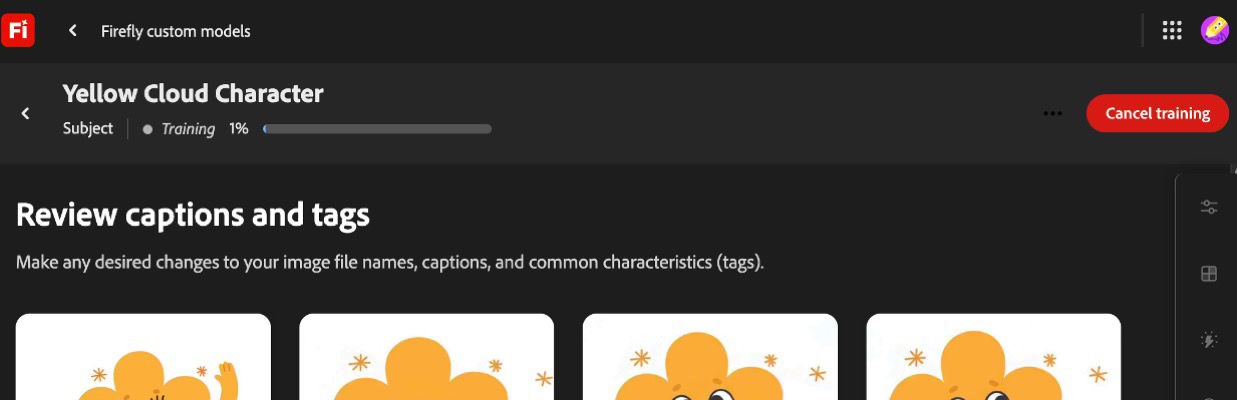
Navigate to Custom Models in the Firefly web app, select your use case (illustration, character, or photographic style), and upload your images. Firefly automatically generates captions and tags for your training set — you can review and adjust these before training begins.
3. Train the Model
Training time ranges from minutes to a few hours depending on dataset complexity. During training, Firefly analyzes your images to extract the defining visual patterns.
4. Generate On-Brand Content
Once training completes, select your custom model from the model dropdown in Text to Image. Every generation now reflects your trained style. You can still use prompts to control subject matter, composition, and scene details — the model handles the stylistic consistency.
Best Practices for Training Quality
| Factor | Recommendation |
|---|---|
| Image diversity | Show the style across different subjects and compositions |
| Resolution | Use the highest resolution available (1024×1024 minimum) |
| Consistency | Remove outliers that don't match your target aesthetic |
| Tags | Review auto-generated captions — correct any misidentifications |
| Iterations | Train multiple models with slightly different image sets and compare |
The Bigger Picture: 30+ Models Inside Firefly
Custom Models is only part of Adobe's March 2026 announcement. Firefly now hosts more than 30 industry-leading AI models in a single creative environment, including:
- Adobe Firefly Image Model 5 (now generally available)
- Google Nano Banana 2 and Veo 3.1
- Runway Gen-4.5
- Kling 2.5 Turbo
- OpenAI models
This multi-model strategy mirrors what we've been seeing across the industry — creative teams no longer want to be locked into a single model. Different models excel at different tasks: Nano Banana 2 delivers exceptional speed for rapid iteration, Runway Gen-4.5 handles stylized cinematic work, and Kling excels at motion consistency.
For a deeper look at how Adobe is integrating third-party models into its ecosystem, see our analysis of Adobe Firefly's partner model strategy.
"The competitive advantage has shifted from what AI can create to how effectively creators direct it. Model selection is becoming as important as prompt craft."
What This Costs
Adobe's pricing for Custom Models access depends on your subscription tier:
| Tier | Custom Models Access | Price |
|---|---|---|
| Firefly Free | No | Free |
| Firefly Premium | Yes (public beta) | $9.99/month |
| Creative Cloud for Enterprise (Edition 4) | Yes + team sharing | Contact sales |
| Creative Cloud for Enterprise (Edition 4 + Premium Stock) | Yes + team sharing + stock | Contact sales |
Enterprise users get additional capabilities: shared custom models across teams, integration with Firefly Services API, and compatibility with GenStudio for Performance Marketing and Adobe Express.
Custom Models is currently in public beta. Features, pricing, and availability may change before general release. Enterprise pricing is not publicly listed — organizations need to contact Adobe Sales directly.
Custom Models vs. Prompt Engineering: When Each Makes Sense
Not every team needs custom-trained models. Here's a practical decision framework:
| Scenario | Best Approach | Why |
|---|---|---|
| One-off campaign with loose style requirements | Prompt engineering + model selection | Faster, no training needed |
| Recurring brand content across many campaigns | Custom model | Consistency without per-asset prompt tweaking |
| Character consistency across a series | Custom model | Characters are nearly impossible to maintain through prompts alone |
| Rapid prototyping and exploration | Prompt engineering with multiple models | Custom models constrain creative exploration |
| Agency managing multiple brand clients | Multiple custom models | One model per client brand, reusable across projects |
For agencies managing multiple brands, the ability to train and store separate custom models per client is a significant workflow improvement. Instead of maintaining prompt libraries and style guides for each brand, you train once and generate consistently.
Competitive Context: How Firefly Custom Models Compare
Adobe is not the first to offer model fine-tuning for brand consistency. Here's how the landscape looks:
| Platform | Custom Training | Min. Images | Enterprise Features | Pricing |
|---|---|---|---|---|
| Adobe Firefly | Public beta | 10–30 | Team sharing, API, GenStudio | From $9.99/mo |
| Midjourney | Style references (not fine-tuning) | 1+ | Limited | $10–60/mo |
| Stable Diffusion (LoRA) | Full fine-tuning | 5–50 | Self-hosted | Open source |
| DALL-E / ChatGPT | Style matching via conversation | 1+ | Enterprise API | From $20/mo |
Adobe's key differentiator is the integration story. Custom Models connect directly to Photoshop, Express, GenStudio, and Firefly Services — creating a closed loop where trained models feed into production workflows without export/import friction.
The trade-off is ecosystem lock-in. Once your custom models live inside Adobe's infrastructure, switching costs increase significantly. Teams that prefer model flexibility may want to consider platforms that support multiple providers alongside custom training.
For a complete comparison of AI image generators, including quality benchmarks and pricing, check out our definitive guide to AI image generators in 2026.
What This Means for Creative Teams
The Brand Consistency Problem Is Being Solved
Brand consistency has been the single biggest friction point in AI-generated content. Every creative director has experienced it: you craft the perfect prompt, get a beautiful result, then spend the next hour trying to reproduce that exact look for the rest of the campaign. Custom models eliminate this cycle entirely.
A Forrester study found that Firefly's enterprise offerings enable teams to scale asset variant production by 70–80% while reducing review and correction time by up to 75%. Those numbers become even more significant with custom-trained models that eliminate the style variance problem at the source.
The Multi-Model Future Is Here
The most significant trend is not any single model — it's that creative platforms are becoming model-agnostic orchestration layers. Adobe now offers 30+ models. Other platforms like XainFlow give teams access to leading image and video models from Google, Runway, Kling, and others in a unified workspace.
The creative teams that will thrive are the ones building workflows around model flexibility, not model loyalty. Today's best model for product photography might not be tomorrow's — but your brand style should remain consistent regardless of which model generates the output.
Practical Next Steps
- Audit your brand assets: Identify 10–30 images that best represent your visual identity
- Test with Firefly Custom Models: If you have a Firefly Premium subscription, start with a photographic style model — these tend to train most reliably
- Compare across platforms: Generate the same brief with your custom model and with other tools to evaluate quality differences
- Build a multi-model workflow: Use custom models for brand-critical hero content and faster general-purpose models for high-volume variant work
For teams building AI-powered brand identities from scratch, our guide to building brand identity with AI tools covers the full process from concept to production.
The Bottom Line
Adobe Firefly Custom Models represent a meaningful step forward for brand-consistent AI generation. The ability to train on just 10–30 images, with privacy guarantees and native integration across Adobe's ecosystem, makes this accessible to teams of any size — not just enterprises with ML engineering resources.
The limitation is ecosystem scope. Custom Models live inside Adobe's walled garden. For teams that need model flexibility across providers, or that work with video and 3D alongside images, the future likely involves orchestrating custom-trained models alongside third-party models in a platform that connects everything.
Explore how XainFlow's AI Suite brings together leading image and video models in a single creative workspace — no ecosystem lock-in required.
Frequently Asked Questions
Can I upload my own assets (brand logo, imagery) and use Firefly to make variations?
Yes. Firefly Custom Models are designed exactly for this. Upload 10–30 reference images — product photography, illustrations, or a recurring brand character — and Firefly trains a private model that generates variations in your style. You can also use Generative Fill and Structure Reference inside Photoshop to produce variations from a single uploaded asset without training a full model. Custom Models are private by default: Adobe does not reuse your training data.
Firefly Foundry vs Firefly Custom Models — what's the difference?
Firefly Custom Models are self-service fine-tunes built on top of Firefly Image Model 5, trained by you inside the Firefly web app with 10–30 images, typically taking minutes to hours. Firefly Foundry is Adobe's enterprise program: Adobe's team trains a fully bespoke foundation model on your IP, typically with thousands of assets and a multi-week engagement. Custom Models fit marketing teams and agencies; Foundry targets large brands that need a private base model, not a fine-tune.
How long does it take to train a Firefly Custom Model?
Training a Firefly Custom Model takes from a few minutes to a few hours depending on your dataset size and the chosen use case (illustration, character, or photographic style). Adobe currently limits each model to 10–30 training images, JPG or PNG at 1024×1024 or larger, under 50 MB per image, with a maximum aspect ratio of 16:9 or 9:16.
Are outputs from Firefly Custom Models safe for commercial use?
Yes. Firefly Custom Models inherit Firefly's commercial-safety guarantees: the base model is trained on Adobe Stock, public-domain, and openly licensed content, and Adobe offers indemnification for Firefly outputs on qualifying plans. Your training images must be assets you own or have rights to use. Custom Models and their outputs are private to your organization by default.