A complete brand identity — logo, color palette, typography, imagery style, and usage guidelines — used to require a design agency, a five-figure budget, and four to eight weeks of back-and-forth. In 2026, a single creative professional with the right AI tools can produce the same deliverables in a weekend. The quality gap between AI-assisted and traditionally designed brand identities has effectively closed for most use cases, from startups to product launches to campaign sub-brands.
This guide walks you through every step: from defining your brand foundations to generating production-ready assets. No design degree required — just a clear vision and the right workflow.
Why AI Changes the Brand Identity Game
The traditional branding process was expensive because it was labor-intensive. A designer would spend hours sketching logo concepts, testing color combinations, pairing typefaces, and creating mockups. Most of that exploration time — 70% or more — produced work that was discarded during review cycles.
AI compresses that exploration phase from days to minutes. Instead of a designer producing five logo concepts over a week, an AI tool generates fifty variations in five minutes. The human role shifts from execution to curation: reviewing, selecting, and refining the best options.
"AI doesn't replace the creative eye. It removes the bottleneck between having an idea and seeing it realized."
According to recent industry data, over 60% of new startups and small businesses now use AI tools for logo and brand identity creation. The tools have matured past the "novelty" phase — they produce genuinely professional output.
What hasn't changed: you still need a clear brand strategy before touching any design tool. AI accelerates execution, not strategy. Start with your brand's why, then let AI handle the how.
Step 1: Define Your Brand Foundations
Before generating a single visual asset, lock down these five elements. They'll guide every AI prompt and tool setting you use throughout the process.
Brand Purpose and Values
Write one sentence answering: Why does this brand exist beyond making money? Then list three to five core values. These aren't marketing copy — they're filters for every design decision you'll make.
Example:
- Purpose: "We help independent creators produce studio-quality content without studio budgets."
- Values: Accessibility, creative freedom, professional quality, speed, simplicity.
Target Audience
Define who you're designing for — not who you're selling to (they may differ). A brand targeting Gen Z creators looks fundamentally different from one targeting enterprise marketing directors, even if both sell similar products.
Brand Personality
Pick three adjectives that describe how your brand should feel. These directly translate into design choices:
| Personality | Design Implication |
|---|---|
| Bold, energetic, playful | Saturated colors, rounded fonts, dynamic layouts |
| Minimal, premium, refined | Muted palette, serif typography, generous whitespace |
| Warm, approachable, human | Earth tones, handwritten accents, organic shapes |
| Technical, precise, trustworthy | Blues/grays, monospace fonts, structured grids |
Competitive Positioning
Study five to ten competitors. Screenshot their logos, note their color schemes, catalog their typography choices. The goal is not to copy — it's to identify the visual territory that's already claimed so you can differentiate.
Create a simple spreadsheet: competitor name, primary color, font style, logo type (wordmark, icon, combination). Patterns will emerge fast.
Mood Board
Collect 15–30 images that capture the feeling you want your brand to evoke. Use Pinterest, Dribbble, or Midjourney's built-in moodboard feature. These images aren't design references — they're emotional references. A coffee brand might include images of morning light, handwritten letters, and worn leather, not other coffee logos.
If you're building AI workflows for creative projects, our guide on building an AI-first content pipeline covers how to structure end-to-end production with AI tools.
Step 2: Generate Your Logo with AI
The logo is the centerpiece of any brand identity. AI logo generators have evolved from producing generic clip-art to generating genuinely distinctive marks.
Best AI Logo Tools in 2026
Looka is the strongest all-in-one option. Enter your brand name, select style preferences, and it generates dozens of logo options. Each logo comes with variations — icon only, wordmark, combination — and you can customize colors, fonts, icons, and layouts in real time.
Brandmark produces more design-forward results. It analyzes your brand name, industry, and style keywords to generate complete brand kits: logo, color palette, and font suggestions in one pass. The output tends to feel more custom than template-driven.
LogoDiffusion uses diffusion models for logo generation, producing results closer to what you'd get from Midjourney or DALL-E but optimized for vector-quality logo output. Best for teams that want AI-generated concepts they'll refine in Illustrator.
Midjourney (with prompt engineering) is the power-user option. Use prompts like:
Minimal logomark for a creative technology company called "Aura",
geometric, single color, vector style, scalable, no text,
inspired by light refraction and neural networks --v 7 --style raw
Generate 20+ variations, then bring the best concepts into a vector editor for cleanup.
Logo Generation Workflow
- Generate broadly: Run your brand name through two or three tools. Generate at least 30 concepts total. Don't filter yet.
- First cut: Narrow to 8–10 that match your brand personality adjectives. Eliminate anything that feels generic or too similar to competitors.
- Test scalability: Does it work at 16×16 pixels (favicon)? Does it work on a billboard? AI logos often have detail that doesn't survive scaling — simplify aggressively.
- Refine the top 3: Use the tool's customization features or export to Figma/Illustrator for final adjustments. Change one variable at a time: color, weight, spacing.
- Create variations: Primary logo, icon-only version, monochrome version, reversed (white on dark) version. Most AI tools generate these automatically.
AI logos often include text rendering artifacts. Always retype your brand name in a proper font editor rather than using AI-generated text directly.
Step 3: Build Your Color Palette
Color is the most emotionally impactful element of any brand identity. It's also where AI tools deliver the most immediate value — generating harmonious palettes that follow color theory without requiring you to understand it.
AI Color Palette Tools
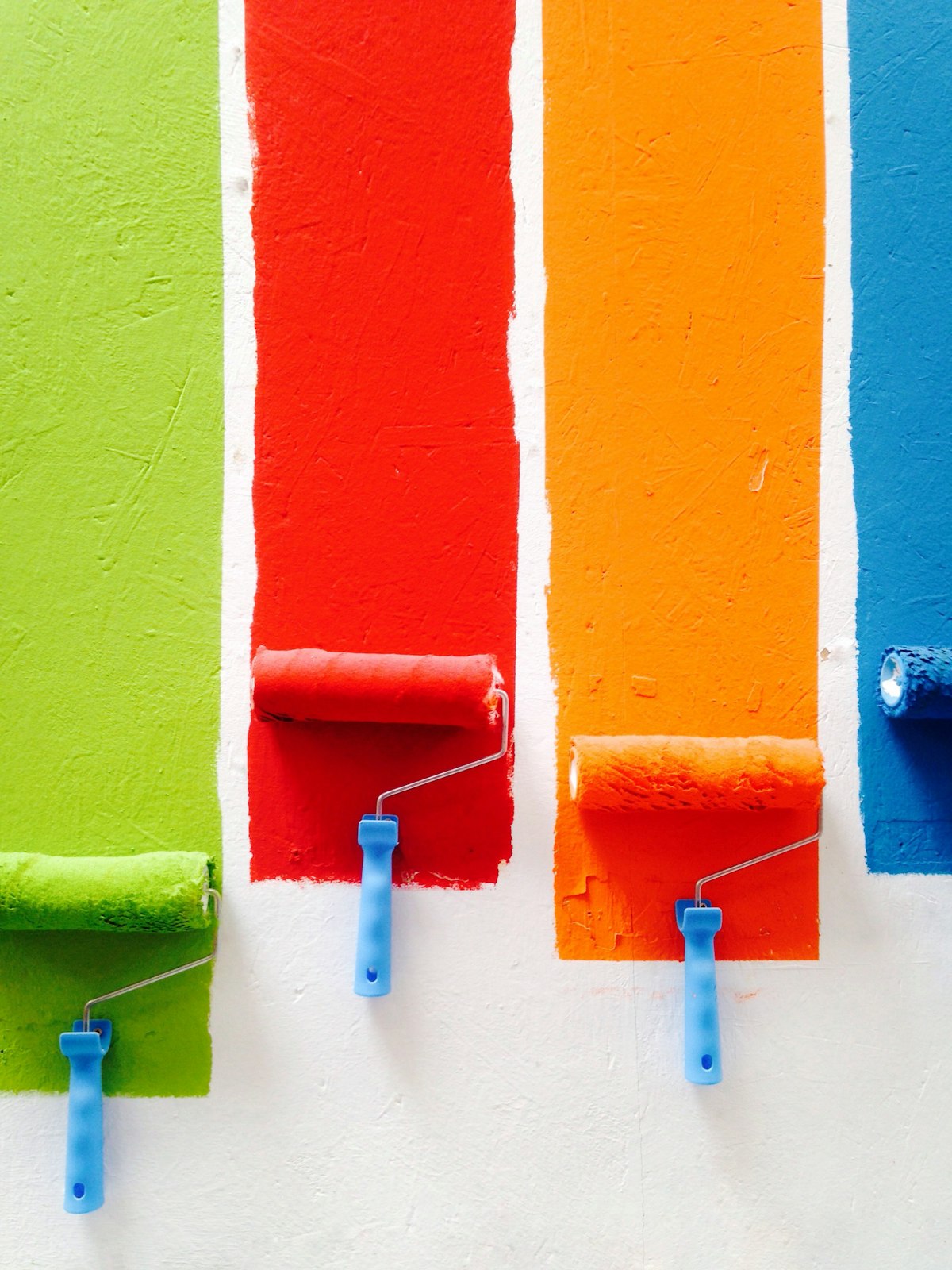
Khroma is the most sophisticated option. You train a neural network by selecting colors you like, and it learns your preferences to generate personalized palettes. It produces combinations across type, gradients, images, and custom palettes — all filtered to your taste.
Coolors is the fastest. Hit the spacebar to generate random palettes, lock colors you like, and keep generating. It also extracts palettes from images (upload your mood board photos) and checks accessibility contrast ratios.
Huemint applies machine learning specifically to branding contexts. It generates palettes and previews them on realistic brand mockups — business cards, websites, packaging — so you see how colors perform in context, not just as swatches.
ColorMagic takes text descriptions ("warm, professional, tech-forward") and generates matching palettes. Useful when you have personality adjectives but no color intuition.
Building Your Palette
A production-ready brand palette needs five to seven colors:
| Role | Purpose | Example |
|---|---|---|
| Primary | Main brand color, used most frequently | Deep blue (#1A365D) |
| Secondary | Complements primary, used for accents | Warm amber (#F6AD55) |
| Tertiary | Optional third accent | Soft teal (#38B2AC) |
| Dark neutral | Text, headers, dark backgrounds | Near-black (#1A202C) |
| Light neutral | Backgrounds, cards, whitespace | Off-white (#F7FAFC) |
| Success/Error | Functional UI colors | Green/Red variants |
Workflow:
- Start with your primary color. If your logo uses a dominant color, start there. Otherwise, use your brand personality adjectives in ColorMagic or Khroma.
- Generate complementary colors using Coolors or Huemint. Lock your primary and generate around it.
- Test for accessibility. Every text/background combination must meet WCAG AA contrast ratios (4.5:1 minimum). Use Coolors' contrast checker or WebAIM.
- Preview in context. Huemint's mockup previews are invaluable here. A palette that looks great as swatches can fall apart on a real website.
- Document hex codes, RGB, and HSL values. Export from your tool into a brand document.
Color psychology isn't pseudoscience, but it's context-dependent. Blue doesn't universally mean "trust" — it means trust in financial services, but coldness in food branding. Always test your palette against your specific audience expectations.
Step 4: Select and Pair Your Typography
Typography carries as much brand personality as your logo and colors. The right typeface pairing can make a brand feel premium, approachable, technical, or playful — often more effectively than any other design element.
AI Typography Tools
Monotype AI Search (launched February 2026) lets you search for fonts using natural language. Describe what you want — "a modern serif that feels luxurious but not stuffy" — and the AI returns matching typefaces from Monotype's library. Research shows 85% of creatives consider font selection critical to brand identity.
Fontjoy uses deep learning to generate font pairings. Select one font and it suggests complementary partners based on visual similarity and contrast analysis. Adjust the contrast slider to control how different the paired fonts are.
Brandmark's typography engine suggests font pairings as part of its brand kit output. If you used Brandmark for your logo, the typography suggestions will already be harmonized with your logo style.
Typography System Architecture
Every brand needs three font roles:
Display / Headline font: High personality, used sparingly. This is where you express brand character most strongly. Can be a distinctive serif, a geometric sans, or even a custom display face.
Body font: Maximum readability, minimum personality friction. This carries your long-form content. Prioritize a large x-height, clear letterforms, and comfortable line-height at 16–18px.
Utility / Mono font (optional): For code, data, captions, or UI elements. A clean monospace or condensed sans works well.
Pairing Principles
- Contrast, not conflict: Pair a serif with a sans-serif, or a geometric font with a humanist one. Two fonts that are similar-but-different create visual tension.
- Shared proportions: Paired fonts should have similar x-heights and stroke widths so they feel related, even if their styles differ.
- Limit to two: Three fonts maximum. Most brands work best with two — one for headlines, one for everything else.
Google Fonts offers hundreds of free, production-ready typefaces. For a 2026 brand, consider Inter (body), Space Grotesk (headlines), and JetBrains Mono (utility) as a versatile starting stack.
Step 5: Generate Brand Imagery and Visual Style
Beyond the logo, your brand needs a consistent visual language: the style of photography, illustration, iconography, and graphics that appear across all touchpoints.
Defining Your Visual Style with AI
Use Midjourney, DALL-E 3, or Recraft to generate sample imagery that matches your brand personality. The goal isn't to create final assets — it's to establish a visual style guide that defines how all future imagery should look and feel.
Create a style reference prompt:
Brand photography style for [brand name]: soft natural lighting,
shallow depth of field, warm neutral tones (#F5F0EB background),
minimal composition, human subjects in motion,
shot on 85mm lens --v 7 --style raw
Generate 10–20 images. Select the 5 that best represent your brand's visual direction. These become the "style anchors" in your brand guidelines.
Iconography
For custom icons, use Recraft's icon generation mode or Figma's AI plugins. Consistency matters more than individual icon quality — all icons should share the same:
- Stroke weight (2px is standard)
- Corner radius (rounded vs. sharp)
- Grid size (24×24 or 32×32)
- Color (primary brand color or neutral)
Brand Patterns and Textures
AI excels at generating repeatable patterns and textures. Use these for:
- Website backgrounds and section dividers
- Social media post templates
- Packaging and print materials
- Email header graphics
Prompt Midjourney or DALL-E with: "Seamless tileable pattern inspired by [brand concept], [color palette], minimal, geometric"
For more on generating visual content at scale, see our comparison of the best AI image generators in 2026.
Step 6: Assemble Your Brand Kit
All the individual elements — logo, colors, typography, imagery — need to come together in a structured brand kit that anyone on your team can use.
What Goes in a Brand Kit
| Section | Contents |
|---|---|
| Logo | Primary, secondary, icon-only, monochrome, and reversed versions. Clear space rules. Minimum size requirements. |
| Colors | Primary, secondary, neutrals, and functional colors. Hex, RGB, and HSL values. Usage guidelines (what's for backgrounds vs. accents vs. text). |
| Typography | Font names, weights, and sizes for headlines, body, captions. Line-height and letter-spacing specifications. Fallback fonts for web. |
| Imagery | Style anchors (5 reference images). Photography guidelines. Illustration style. Do's and don'ts. |
| Voice & Tone | Writing style adjectives. Example copy. Words to use and avoid. |
| Templates | Social media templates. Presentation deck. Email signatures. Business cards. |
AI Tools for Brand Kit Assembly
Looka's Brand Kit is the most automated option. Once you've designed your logo in Looka, it generates hundreds of branded marketing materials — business cards, social posts, letterheads, email signatures — all using your logo, colors, and fonts automatically.
Canva's Brand Kit feature lets you upload your brand elements and apply them across templates. Its AI suggests layouts and designs that match your brand. Good for teams that need ongoing template generation.
Brandmark exports complete brand guidelines as PDF, including all logo variations, color specifications, and typography rules in one document.
Production Checklist
Before considering your brand identity complete, verify:
- Logo works at all sizes (favicon to billboard)
- Colors pass WCAG AA contrast checks
- Fonts are licensed for web and commercial use
- All assets exported in SVG (vectors), PNG (raster), and relevant color spaces (RGB for digital, CMYK for print)
- Brand guidelines document exists and is shareable
- Templates are created for your top three use cases (social, email, presentations)
Step 7: Maintain Brand Consistency with AI
Creating a brand identity is a project. Maintaining it is an ongoing process — and this is where AI delivers compounding value over time.
AI Brand Monitoring
Tools like Typeface and Frontify now offer AI-powered brand compliance monitoring. They scan marketing materials in real time, flagging inconsistencies in logo usage, color application, and typography. For teams producing high volumes of content, this catches drift before it reaches the public.
Template-Based Production
The real ROI of a well-built brand identity is speed-to-market on new assets. With your brand kit loaded into Canva, Figma, or an AI-powered platform, creating a new social post, email campaign, or presentation takes minutes instead of hours — and stays on-brand automatically.
Evolving Your Brand with AI
Brands evolve. When it's time to refresh — updating colors, modernizing typography, exploring new visual directions — AI lets you prototype changes in hours rather than commissioning a full rebrand. Generate variations of your existing identity, test them with your audience, and iterate quickly.
If you're scaling content production across channels while maintaining brand consistency, check out our guide on scaling content production without sacrificing quality.
The Complete AI Brand Identity Toolkit
Here's a summary of every tool mentioned in this guide, organized by workflow stage:
| Stage | Tool | Best For | Price Range |
|---|---|---|---|
| Logo | Looka | All-in-one brand kit | $20–$65 one-time |
| Logo | Brandmark | Design-forward output | $25–$175 one-time |
| Logo | Midjourney | Custom concepts | $10–$30/month |
| Logo | LogoDiffusion | Vector-quality AI logos | $19–$49/month |
| Colors | Khroma | Personalized palettes | Free |
| Colors | Coolors | Fast generation | Free / $3/mo pro |
| Colors | Huemint | Branded mockup previews | Free |
| Typography | Monotype AI | Natural language font search | Subscription |
| Typography | Fontjoy | Quick pairings | Free |
| Imagery | Midjourney / DALL-E 3 | Style reference generation | $10–$30/month |
| Icons | Recraft | Consistent icon sets | Free tier available |
| Brand Kit | Canva | Template production | Free / $13/mo pro |
| Monitoring | Typeface | Brand compliance | Enterprise pricing |
"The best brand identity isn't the most expensive one. It's the most consistent one. AI makes consistency achievable at any budget."
Start Building Your Brand
Building a brand identity with AI is not about cutting corners — it's about removing the barriers that prevented small teams and independent creators from having professional-quality branding. The tools are mature. The workflows are proven. The only prerequisite is clarity about who you are and who you're building for.
Start with your brand foundations. Let AI handle the exploration. Apply your creative judgment to the curation. And remember: a brand identity is a living system, not a one-time deliverable. The same AI tools that help you build it will help you evolve it.
Explore how AI workflow automation can streamline your entire creative production process — from branding to campaign delivery.
Frequently Asked Questions
Can AI create a brand identity?
Yes. In 2026, AI tools can generate logos, color palettes, typography pairings, imagery styles, and complete brand guidelines. A creative professional with the right AI workflow can produce production-ready brand identity assets in hours instead of the 4-8 weeks a traditional agency process requires.
What are the best AI tools for brand identity design?
The best AI brand identity tools in 2026 include Midjourney and Flux for logo concept generation, Coolors AI and Adobe Color for palette creation, Fontjoy for typography pairing, and platforms like XainFlow for maintaining brand consistency across all AI-generated content with custom style settings.
How much does AI brand identity design cost?
AI brand identity design can cost as little as $50-200 for tools and subscriptions, compared to $5,000-50,000 for traditional agency work. Free tiers of most AI tools let you create initial concepts, while professional plans ($20-60/month) give you production-quality outputs.
Is AI brand identity as good as human-designed?
For most use cases — startups, product launches, campaign sub-brands, and small businesses — AI-generated brand identities are production-ready. For Fortune 500 corporate rebrands or luxury brands requiring extreme craft, human designers still add value, though they increasingly use AI as part of their process.